One platform for the office and the field
FieldGenius connects every part of your service business — CRM, leads, customers, sites, equipment, jobs, dispatch, estimates, invoices, payments, projects, automation, and reporting. The office and the field work from the same job and customer context.
Built for HVAC, plumbing, electrical, maintenance, and other field service trades.
It starts before the job
The FieldGenius lifecycle begins the moment demand enters the business — a call, a web form, a referral — and carries the context all the way through to payment and service history.
From first inquiry to paid work, the context stays connected — so a job is never just a job.
The office and the field work from the same job and customer context
When a technician updates a job in the field, the dispatcher sees it instantly. When the office schedules a new visit, the technician has the full history before they arrive. No relay calls. No lost context. One connected record.
See how a job stays connected
One platform. Different jobs to get done.
FieldGenius gives owners, office teams, and technicians each what they need — without piecing the business together from separate systems.
Owner
See the business. Unblock the work.
Keep revenue, open work, billing, customer history, team activity, and operational priorities visible without piecing the business together from separate systems.
Office
Keep the day moving.
Coordinate incoming requests, leads, customers, jobs, scheduling, dispatch, estimates, invoices, and follow-up from the same operating workflow.
Technician
Arrive prepared. Close out cleanly.
Give technicians the job, customer, site, equipment, notes, photos, history, and Zaro context they need to understand the work and document what happened — all from one technician mobile workspace.
The full FieldGenius platform
Each module below is part of one connected system — not a separate app you have to stitch together.
CRM & Lead Pipeline
Capture leads from every source, track them through the pipeline, and convert opportunities into customers, estimates, and jobs — without losing the conversation history.
Learn moreCustomers
A single record for every customer — contact details, sites, service history, and open balances, all in one place.
Sites / Locations
Track every service location with its own equipment, access notes, and job history, separate from the customer.
Equipment / Assets
Maintain an asset register tied to each site — model, serial, install date, and service history follow the equipment.
Jobs / Work Orders
Every job carries its customer, site, equipment, technician, notes, photos, status, and history together.
Learn moreDispatch / Scheduling
Assign the right technician to the right job, with travel time, skills, and availability in view.
Estimates
Build estimates from the job context and send them out — approved estimates convert straight into work.
Invoices
Invoice from completed work, with line items pulled from the job. No re-keying, no missed charges.
Payments / AR
Accept payments and track receivables against the customer and job, so financials stay connected to operations.
Projects
Group related jobs into a project — multi-phase work, larger installs, and ongoing contracts stay organized.
Automation
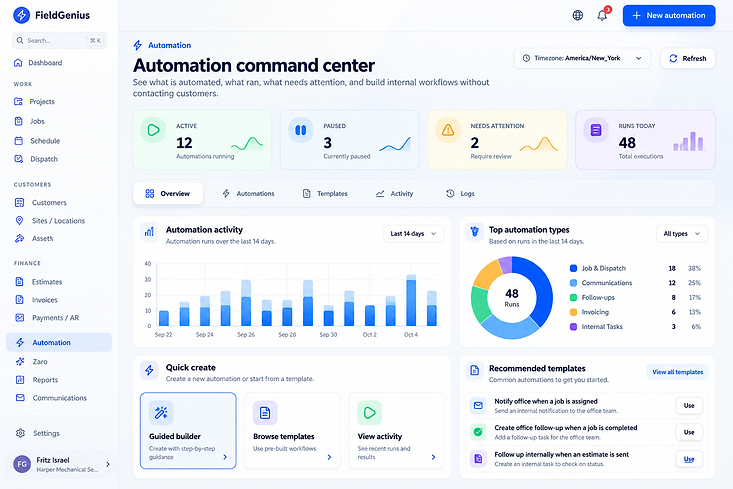
Automate the repetitive steps — status changes, follow-ups, reminders — so your team focuses on the work.
Technician Workflows
Field technicians see the job, document their work, capture photos, and update status from one mobile view.
Reporting
See how jobs, technicians, and revenue are performing — built from the same connected data, not a separate export.
Zaro Voice
Zaro answers incoming calls naturally, captures service requests, and carries the context into your CRM pipeline and office workflow.
Learn moreScheduling and dispatch
FieldGenius brings scheduling and dispatch into the same field service workflow as customers, jobs, technicians, and billing. Office teams can plan work with capacity, availability, skills, status, and schedule conflicts in view.
Financial workflow
Build estimates around the work, carry approved work into invoicing, track payments and receivables, and keep accounts receivable connected to the customer and job history.

Turn customer requests into structured work.
Give customers a simple way to submit service details before the office starts the workflow. Field service request intake keeps the problem description, contact information, attachments, and supporting context organized for review.
Customers provide the details. Zaro Office summarizes the request. Your office decides what happens next.
FieldGenius Connect
FieldGenius Connect is the customer service request intake experience — a simple public way for customers to share what they need, provide their information, and attach useful context before the office reviews the request.
Human control
A submitted request does not automatically create a job, schedule work, dispatch a technician, approve an estimate, or contact the customer. The office reviews the request and decides the next step.
Zaro prepares. Your team decides.
Zaro prepares. Your team decides.
Zaro is built into the platform — not bolted on. Three capabilities — Zaro Office, Zaro Tech, and Zaro Voice — help your team understand and prepare work, document in the field, and capture incoming customer calls naturally.
Explore ZaroBusiness context stays inside the right workspace.
FieldGenius is built around disciplined product architecture and human control — so the right people see the right information, and AI stays under human review.
Authenticated workspaces
FieldGenius is built around authenticated access to company workspaces.
Role-based access
Permissions help determine what owners, office staff, technicians, and other users can access and change.
Company-scoped data
Operational records are designed to remain scoped to the correct company and workspace.
Human-reviewed AI
Zaro prepares summaries, guidance, and drafts while people remain responsible for business decisions.
See the whole platform in action
Start your free trial and explore every connected module.
15- or 30-day free trial · No payment method required